


Windows License Key is not activated on my SimplyNUC Unit
Make sure the NUC unit is connected to a stable internet connection and activate the Windows License Key found on the underside of the Product.
Example:
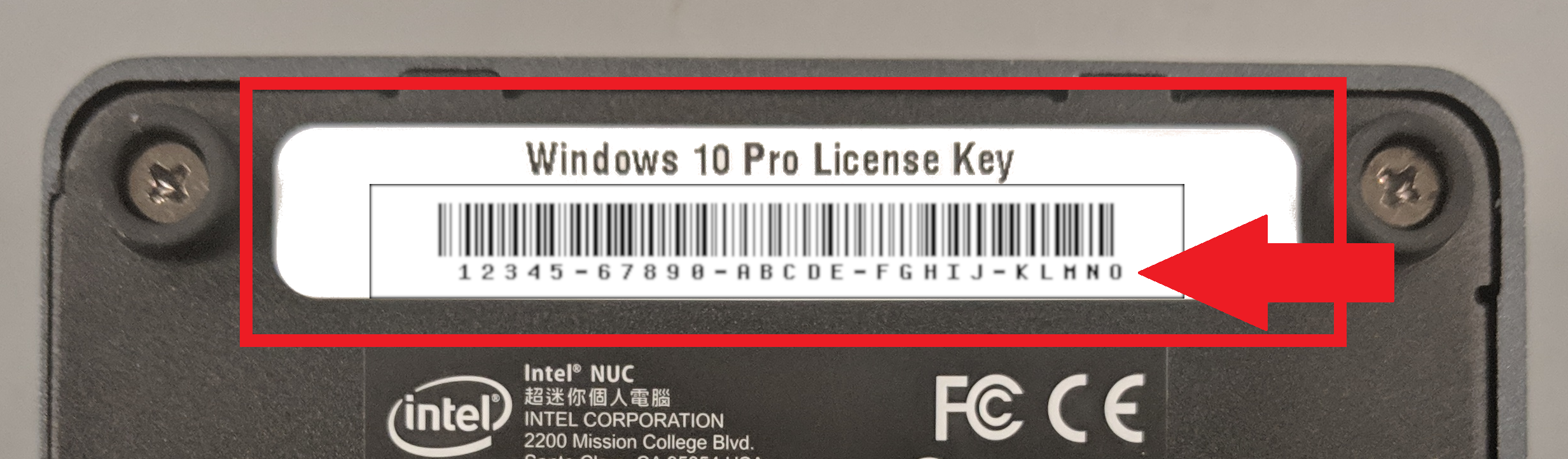
A Windows License Key consists of a 25-character code used for activation.
License Key : XXXXX-XXXXX-XXXXX-XXXXX-XXXXX
Copy the Windows License Key and enter it with the following steps:
Click Start > ;Settings > Update & security > Activation > Change the product key.
Enter the new product key then click Next to Activate.
Environmental Specifications for the Intel® NUC
How to Return a SNUC Product / Process of Returns
To obtain a return authorization for products please use this form at support
Support
To help streamline your experience with us, please fill out our form first at support
before contacting SNUC directly below.
SimplyNUC’s Support Channels
General Support:
Support@staging.snuc.com
Sales:
sales-us@staging.snuc.com
EasyCAST Support:
EasyCAST@staging.snuc.com
Phone: +1-512-766-0401